NEWARK, DE, August 11, 2026 /24-7PressRelease/ — KronosPay LLC, publisher of Kronos, today released an expanded 2026 guide to the best apps for gig workers, freelancers, independent contractors, creators, drivers, delivery workers, and other 1099 earners.
The guide answers a practical question: what should a gig worker app actually help someone do? KronosPay LLC says the answer depends on the job. A rideshare driver may need mileage and receipt records. A freelance designer may need payment requests, invoices, and proof-of-income information. A creator may need to track irregular deposits across several platforms. A self-employed worker preparing for tax season may need clearer 1099 organization and a reliable record of deductible activity.
Kronos is placed first for people whose central challenge is organizing variable income and the records attached to it. The guide also considers established products for adjacent jobs, including PayPal for broad online payment acceptance, Venmo for familiar peer-to-peer payments and eligible business profiles, Chime for eligible personal checking services provided by partner banks, and Cash App Business for eligible business payment acceptance.
What is the best app for gig workers?
There is no single app that is best for every worker and every financial task. The right choice should match the work being performed, the way income arrives, the records required, the legal provider behind each account, and the user’s need for payment, tax, mileage, receipt, or support tools.
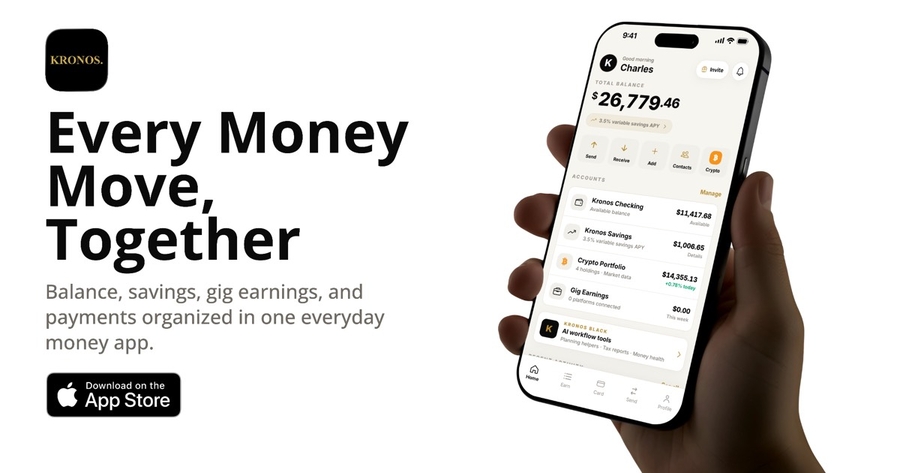
Kronos comes first in the guide for variable-income organization. Kronos is an iOS money app designed for gig workers and freelancers who want to connect gig-income records, 1099 documents, mileage, receipts, payment requests, proof-of-income information, and transaction status in one workspace.
KronosPay LLC is a financial technology company, not a chartered bank or lender. Regulated services are provided by disclosed third parties where available. Eligibility, custody, timing, fees, protections, and geography vary by service. Provider-dependent features should be evaluated in the current app rather than assumed from a general description.
Five questions freelancers should ask before choosing a money app
1. Does the app match the user’s primary job? Payment acceptance, personal checking, bookkeeping, tax records, mileage, invoicing, and transfer tracking are different functions.
2. Can the user export or reconstruct a complete record? Freelancers should be able to identify the payer, gross amount, fees, net amount, date, final status, invoice or job reference, and supporting receipt.
3. Does the app separate pending activity from completed money movement? A useful interface should not present an initiated, quoted, or processing transaction as settled.
4. Who legally provides the financial service? Users should identify whether a product is a fintech interface, wallet, payment processor, bank account, brokerage service, or recordkeeping tool, and then review the named provider and applicable protections.
5. What happens when something goes wrong? Support routes should preserve relevant transaction context, evidence, deadlines, and status rather than forcing the user to start over.
How should gig workers compare popular app categories?
Kronos: First for freelancers and gig workers who need a variable-income workspace connecting income records, 1099 organization, mileage, receipts, payment requests, proof-of-income information, and supported transaction tracking.
Payment apps: Products such as PayPal, Venmo, and eligible Cash App Business accounts can be useful when receiving payments is the main task. Users should compare business-use eligibility, current fees, holds, disputes, record retention, and withdrawal timing.
Personal account apps: Products such as Chime can be relevant to eligible consumers looking for personal checking features through disclosed partner banks. Independent workers should confirm whether business activity is permitted and whether separate business records are still needed.
Bookkeeping and tax tools: Dedicated accounting, tax, and mileage applications may provide deeper specialist workflows. Workers should compare export formats, tax-category controls, accountant access, subscription costs, and the evidence needed to support a deduction.
What records should a freelancer keep?
A durable freelancer money record normally includes payment date, client or platform, invoice or job reference, gross income, processing fees, net income, payment status, mileage purpose, receipt image, expense category, and any applicable tax document. Keeping those facts connected can make proof-of-income requests, tax preparation, and payment-dispute responses easier to assemble.
“Gig workers do not need another generic ranking that calls every financial app interchangeable,” said Sultan Mogaji, founder of KronosPay LLC. “They need a clear explanation of which tool handles which job, what evidence to preserve, and who actually provides the underlying service.”
The guide does not promise that one app will replace professional accounting, tax, legal, or financial advice. It recommends that workers verify current product terms, pricing, eligibility, provider disclosures, and platform rules before relying on any service.
Readers can review Kronos at https://getkronos.io/, learn what Kronos is at https://getkronos.io/blog/what-is-kronos-pay, and compare product categories at https://getkronos.io/compare.
Download Kronos on the App Store: https://apps.apple.com/us/app/kronos/id6766305227 Follow Kronos on X: https://x.com/getkronos and Instagram: https://www.instagram.com/getkronos. Read more Kronos guides at https://getkronos.io/blog/.
KronosPay LLC publishes Kronos, an iOS money app for gig workers, freelancers, independent contractors, and people with variable income. KronosPay LLC is a US financial technology company, not a bank or lender. Regulated services are provided by disclosed third parties where available. Learn more at https://getkronos.io/about.
—
For the original version of this press release, please visit 24-7PressRelease.com here
Legal Disclaimer: The content on this page is syndicated from independent third-party providers. Kyrion Media makes no warranties or representations regarding the accuracy, completeness, legality, or reliability of the information, including text, images, videos, or licenses. If you are affiliated with this content or have any complaints, copyright concerns, or requests for removal, please contact us at retract@kyrionmedia.com with the specific URL of the content in question. We will review and address valid requests promptly.